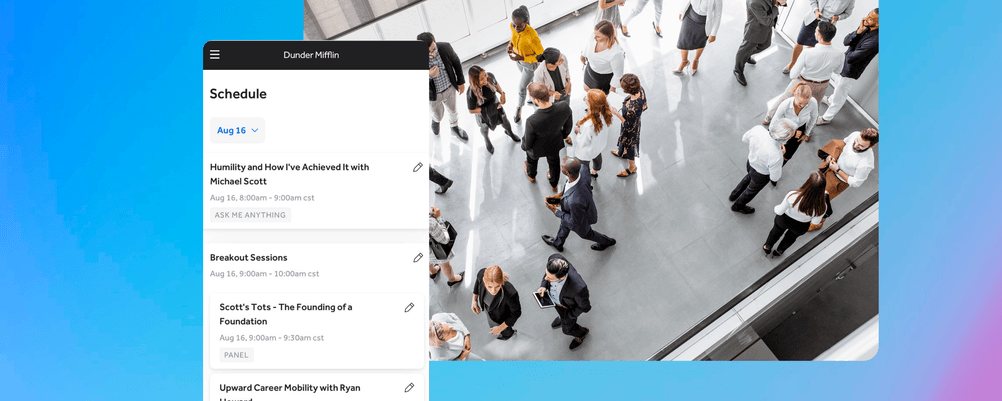
If you’ve ever planned an event, you know how quickly scheduling can become overwhelming. Multiple versions of the agenda start circulating, last-minute changes create confusion, and teams spend more time confirming details than actually moving things forward.
Because everything flows through the schedule, even small gaps can create ripple effects across the entire event. From session timing and speaker coordination to staffing, check-in, and attendee communication, your schedule connects every part of the experience.
As events grow more complex, managing your schedule with spreadsheets, email threads, and scattered documents starts to break down. A dedicated event scheduling platform brings everything into one place, helping you plan more clearly, reduce errors, and keep your entire workflow running smoothly from setup through event day.
What Is Event Scheduling?
Event scheduling is the process of organizing the timing, structure, and flow of your event, including sessions, speakers, locations, staff coordination, and any other attendee-facing information. It’s not just about listing times on a timeline. A well-built schedule functions as both a planning tool and an operational system, helping teams prepare in advance while also guiding real-time execution. When everything is clearly mapped out, your schedule becomes the central source of truth that keeps your event running smoothly from start to finish.
Why an Event Scheduling Platform Is Better Than Manual Planning
Many event teams still rely on spreadsheets, shared documents, and long email threads to manage their schedules. While this can work for smaller events, it quickly becomes inefficient as complexity increases. Multiple versions of the schedule start circulating, updates get missed, and teams spend unnecessary time confirming details instead of moving forward.
For example, if a keynote session is delayed by 15 minutes, a manual workflow might require updating multiple documents, notifying staff separately, and hoping attendees get the message. With a centralized platform, that update can be made once and reflected everywhere, reducing confusion and keeping the event on track.
An event scheduling platform eliminates these issues by centralizing everything in one place. Updates are made once and reflected instantly, giving everyone access to the same, up-to-date information. This improves visibility across teams, reduces version-control problems, and makes it easier to stay aligned as plans evolve. Instead of managing logistics across disconnected tools, you’re able to streamline your workflow and focus on executing a successful event.
The Importance of Effective Planning in Event Scheduling
A great schedule doesn’t happen by accident. It starts with thoughtful planning that supports both your team and your attendees.
Keeping Teams Aligned
A clear, centralized schedule ensures that everyone involved in your event is working from the same information. Organizers, staff, speakers, and vendors can quickly understand their roles, timing, and responsibilities without needing constant clarification.
This reduces back-and-forth communication and helps teams stay focused on execution rather than confirming details.
Reducing Last-Minute Confusion
Last-minute issues are often the result of incomplete or fragmented planning. When schedules are unclear or inconsistently updated, small gaps like missing transitions or overlapping sessions can create unnecessary stress.
A well-structured schedule allows you to identify and resolve these issues early, before they impact your event.
Improving the Attendee Experience
A well-structured schedule makes it easier for attendees to understand what is happening throughout the event and where they need to go. When sessions are clearly organized and easy to follow, attendees can move confidently between activities and make informed decisions about how to spend their time. This clarity reduces confusion and allows them to focus on the experience rather than logistics.
Supporting Smoother Operations
Behind the scenes, your schedule plays a critical role in how smoothly your event runs. A thoughtful plan allows teams to coordinate setup, manage transitions between sessions, and ensure that staffing is aligned with the event flow. When timing is clear and expectations are defined, operations become more efficient and adaptable, even when adjustments are needed.
What Information Should Be Included in an Event Schedule Design?
A useful event schedule should do more than list times. It should give everyone the context they need to navigate the event with confidence.
Here’s a simple checklist to guide your schedule design:
✅ Session names or activity titles
✅ Start and end times
✅ Speaker or presenter information
✅ Locations or room assignments
✅ Breaks and transition windows
✅ Registration or check-in timing
✅ Special notes for attendees or staff
✅ Links, materials, or access instructions (if needed)
When all of this information is clearly organized, your schedule becomes a powerful tool instead of just a reference document.
How RegFox Helps Simplify Event Workflows
RegFox is built to support the full lifecycle of event planning, not just registration. By connecting scheduling with attendee management and event operations, it helps teams create a more organized and efficient workflow from start to finish. Here’s what you can expect RegFox to do:
➡️ Keep event details, schedules, and registration data connected in one place
➡️ Reduce manual work by eliminating duplicate updates across tools
➡️ Maintain flexibility as schedules evolve or details change
➡️ Improve visibility for teams, staff, and stakeholders
➡️ Support smoother coordination from planning through event day
In practice, this means fewer gaps between planning and execution. If a session time changes, you’re not updating multiple spreadsheets or sending last-minute email corrections; your schedule updates in one place, and everyone sees the same information.
If a room assignment shifts or a speaker cancels, your team can quickly adjust without creating confusion across staff, vendors, and attendees.
And on event day, having a centralized system makes it easier for staff to stay aligned, troubleshoot issues, and keep everything moving without relying on outdated documents or fragmented communication. This means your team can spend less time reacting to issues and more time delivering a great experience.
FAQs
What is event scheduling?
Event scheduling is the process of organizing the timing, structure, and flow of an event, including sessions, speakers, locations, and logistics.
Why is event scheduling important?
It keeps teams aligned, reduces confusion, and ensures that your event runs smoothly from start to finish.
What should be included in an event schedule?
A strong schedule includes session details, timing, speakers, locations, transitions, and any relevant notes or instructions.
What are the biggest event scheduling challenges?
Common challenges include version control issues, last-minute changes, miscommunication, and managing complex event logistics across multiple tools.
How does an event scheduling platform simplify planning?
It centralizes updates, improves visibility, reduces manual work, and helps teams stay aligned as event details evolve.
What should I look for when comparing event management software?
Look for flexibility, ease of use, centralized data management, and tools that support both planning and on-site operations.
When should I move away from manual scheduling tools?
If you’re dealing with frequent updates, multiple stakeholders, or growing event complexity, it’s time to switch to a dedicated platform.
Key Takeaways
A well-managed schedule does more than organize your event. It shapes how your team operates, how smoothly your event runs, and how attendees experience it from start to finish.
🔑 Your schedule is the foundation of your entire event workflow
🔑 Centralized scheduling reduces errors and saves time
🔑 Better planning leads to smoother operations and less stress
🔑 Clear schedules improve both team coordination and attendee experience
🔑 The right platform helps you manage everything more efficiently
If you’re ready to simplify your event workflow and create a more organized planning process, sign up today or reach out to our support team with questions. We’re here to help you host your best event yet.
— The RegFox team